in allen Kategorien
in Computer
in Telekommunikation
in Hifi | Audio
in TV | Video | Foto
in Haushalt
in Freizeit
in Mode & Accessoires
in Haus & Garten
in Beauty & Gesundheit
in Auto & Motorrad
- ComputerArbeitsspeicherBauteileCPUDruckerDruckerzubehörEingabegerätFestplatteGrafikkarteKomplettsystemLaufwerkMainboardMonitorMultimediaNetzwerkNotebookNotebookzubehörPC-SpielScannerSoftwareSpeichermediumSpielekonsoleTablet & E-Book-ReaderTaschenrechnerComputer und Zubehör verschiedenster Anbieter findenJetzt shoppen

- TelekommunikationFaxgerätFunkgerätHandyHandyzubehörTelefon (Analog)Telefon (ISDN)Telefon (VoIP)TelefonanlageTelefone, Smartphones und Co. verschiedenster Anbieter findenJetzt shoppen

- Hifi | AudioAudio-KompaktanlageDJ EquipmentHifi-BausteinInstrumentenzubehörKopfhörerLautsprecherMusikinstrumentPortable AudioplayerRadioHiFi- und Audiogeräte verschiedenster Anbieter findenJetzt shoppen
- TV | Video | FotoBeamer + ZubehörBlu-ray-/DVD-GerätCamcorderFernseherFoto-/CamcorderzubehörFotokameraHome Cinema SystemObjektivOptikTV-ReceiverTV-ZubehörTV/Sat-AntenneTV-, Video- und Fotoapparate verschiedenster Anbieter findenJetzt shoppen

- HaushaltBaby-HomeBaby-MobilBack- & GrillgerätBügeleisenDunstabzugshaubeGefrierschrankGeschirrGeschirrspülerHeiz- & KlimagerätHerdKaffeemaschineKüchenhelferKühlschrankMikrowelleNähmaschinePersonenwaageReinigungsgerätStaubsaugerWaschmaschineWäschetrocknerHaushaltsgeräte verschiedenster Anbieter findenJetzt shoppen

- FreizeitBuchCamping + OutdoorFahrradFilme & SerienFitnessgerätModellbauSpiele + PuzzleSpielwarenSportSportschuheWintersportFreizeitartikel verschiedenster Anbieter findenJetzt shoppen

- Mode & AccessoiresMode DamenMode HerrenMode KinderMode-AccessoiresSchmuckSchuheTasche + KofferUhrKleidung, Schuhe & Accessoires verschiedenster Anbieter findenJetzt shoppen

- Haus & GartenBaumarktBürobedarfGartenHeimwerkerMöbelSonstigesTierbedarfWeihnachtenGarten- und Heimwerkerartikel verschiedenster Anbieter findenJetzt shoppen

- Beauty & GesundheitArzneimittelElektrische ZahnbürsteElektrorasiererGesundheitsproduktHaarstylerKontaktlinsenKosmetikWellnessGesundheitsprodukte und Kosmetik verschiedenster Anbieter findenJetzt shoppen

- Auto & MotorradAutoreifen + FelgeAutozubehörCar HifiMotorradNavigationssystemAuto- und Motorradzubehör verschiedenster Anbieter findenJetzt shoppen


Online 4you UG (haftungsbeschränkt)
Leopoldstr. 2-8
32051 Herford
Leopoldstr. 2-8
32051 Herford
Kontaktdaten
Bestellhotline: 05221/8549761
E-Mail: [email protected]
Hast Du bereits ein Produkt von diesem Shop gekauft? Dann teile uns Deine Erfahrung mit!
Jetzt bewertenHast Du bereits ein Produkt von diesem Shop gekauft? Dann teile uns Deine Erfahrung mit!
Jetzt bewertenKontaktdaten
Bestellhotline: 05221/8549761
E-Mail: [email protected]
Beliebte Angebote


Beliebte Produkte
 Microsoft Office Home 2024ab 4,50€





 Buhl WISO Steuer 2026ab 25,95€
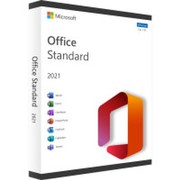 Microsoft Office 2021 Standardab 4,00€
Anzeige
Angebote
Beste Treffer
Beste Treffer
Preis: niedrig bis hoch
Preis: hoch bis niedrig

Norton 360 Premium 10 Devices / 1 Year 75 GB - No subscription
Norton 360 Premium – Comprehensive Protection for Up to 10 Devices Norton 360 Premium offers comprehensive protection for your digital world, taking security and privacy to the next level. With a license for up to 10 devices, you get powerful features that make your online experience safer and more stress-free. This premium security solution offers best-in-class antivirus protection as well as advanced privacy and identity protection features, ensuring your data remains secure at all times. Product Features at a Glance Protection for up to 10 devices 75 GB Cloud Backup – Automatically back up important files and protect against data loss Real-time threat protection – Protects devices from viruses, malware, ransomware, and phishing Fraud protection included – AI-powered detection of fraudulent messages and deepfake videos Norton Genie provides real-time tips, answers cybersecurity questions, and shows you how to get the most out of its features. Secure VPN – anonymous browsing with highly secure encryption, no logs Password Manager – securely create, store, and manage passwords, credit card information, and login credentials Parental Controls – protect children from inappropriate content and online risks SafeCam for PC – warns you of unauthorized webcam access and blocks it School Time Management – allows you to manage your learning environment for remote learning Dark Web Monitoring – monitors the dark web for personal data and notifies you of suspicious activity Compatible with Windows, macOS, Android, and iOS Comprehensive protection for your digital world With Norton 360 Premium, you enjoy comprehensive protection for all devices in your home. The combination of real-time antivirus, firewall, cloud backup, password manager, VPN, and advanced security features covers all essential security areas – for a safe, stress-free online experience. Easy Activation & Instant Protection After purchase, you will receive the activation code digitally via email. Installation is straightforward, and your devices are protected immediately after activation. Since this is a non-subscription version, you retain full cost control at all times. System requirements : Windows 11 / 10 / 8.1 / 7 (SP1) macOS, iOS Android from version 10 An internet connection is required for installation, virus signature and software updates. Included in delivery by E-Mail: Product Key for 10 PC Download in 32/64 Bit
Instant (max. 24h)
25,90€
Versand: frei!

Norton 360 Standard - 10 GB - No subscription
Norton 360 Standard - 1 Device - 10 GB cloud backup Norton 360 Standard offers powerful, comprehensive protection for your device and your online privacy - all in a single solution. Your PC, Mac, Android or iOS smartphone benefits from features that protect against viruses, ransomware, phishing and other online threats while you bank, shop and surf the internet. Norton 360 Standard also includes a VPN that allows you to surf the Internet more securely and anonymously, even on public Wi-Fi, and SafeCam for your PC, which reliably warns you of unauthorized access to your PC webcam and helps you prevent this access To block. Norton 360 Standard also includes PC cloud backup to protect against data loss due to hard drive failure, device theft or even ransomware, as well as a password manager with a tool to manage passwords and logins. Secure protection in real time Advanced security with antivirus helps you keep known and emerging online threats off your device and protect your private information and financial data whenever you go online. Intelligent firewall for PC or firewall for Mac Norton 360 Standard monitors data transfers between your computer and other devices. It protects against hackers and other online threats. Secure VPN Browse more securely and anonymously through a virtual private network (VPN) with no log files and enhanced protection with high-security encryption to keep your incoming and outgoing information safe and private. Fraud Protection AI-powered, reliable protection against fraud online, in SMS messages, or in deepfake videos. Password manager Provides tools to help you generate passwords, securely store and manage credit card information and online credentials. SafeCam Warns you about unauthorized access to your PC webcam and helps you block it. Cloud backup Norton 360 Standard provides cloud-based protection to protect your PC data from hard drive failure, theft and online threats, even when you're away from your computer. System requirements : Windows 11 / 10 / 8.1 / 7 (SP1) macOS, iOS Android from version 10 An internet connection is required for installation, virus signature and software updates. Included in delivery by E-Mail: Product Key for 1 PC Download in 32/64 Bit
Instant (max. 24h)
13,90€
Versand: frei!

Panda Dome Advanced 2027 (Devices: 1 Device / Duration: 1 Year)
Panda Dome Advanced 2027 - Enhanced Protection for Your Devices Reliable protection for your digital life Panda Dome Advanced is state-of-the-art security software designed to provide comprehensive protection for your digital devices. With a wide range of features, this software offers top-notch protection against viruses, malware, ransomware and other cyber threats while ensuring your privacy and online security. Real-time antivirus protection Multimedia/Games mode VPN for private internet access (150 MB/day) USB virus scan Safe surfing to protect against phishing Dark Web Scanner and Dark Web Monitor Rescue kit Firewall for Windows WiFi protection Data protection Thanks to Panda Dome privacy protection, you can protect the privacy and confidentiality of your personal data and sensitive files on your device. It serves as an additional layer of protection against cyber threats that may attempt to access, steal, or damage your data. Parental controls The content filtering features included in Panda Dome's advanced parental controls allow you to block access to websites and applications that are not age-appropriate for your child. Parental controls are only available for Windows devices. This is a particularly useful tool for parents who want to monitor and protect their children's online experience. Ransomware protection Panda Dome Ransomware Protection is an important security feature that protects your data and devices from one of the most dangerous types of cyber threats: ransomware. Ransomware is a type of malware that encrypts your files and demands a ransom to release them. Panda Dome Privacy helps you protect the privacy and confidentiality of your personal information and sensitive files on your device. This tool provides additional protection against cyber threats that attempt to access, steal, or damage your data. System requirements : Operating system: Windows 11, 10, 8, 7 Mac: macOS 10.13 (High Sierra) or later iOS 13.0 or later Android: Android 6.0 or later Memory (RAM): Minimum 2 GB Hard disk space: 200 MB free space (Mac) / 240 MB (Windows) Included in delivery by E-Mail: Product Key Download in 32/64 Bit
Instant (max. 24h)
6,90€
Versand: frei!
Panda Dome Advanced 2027 (Duration: 3 Years / Devices: 5 Devices)
Panda Dome Advanced 2027 - Enhanced Protection for Your Devices Reliable protection for your digital life Panda Dome Advanced is state-of-the-art security software designed to provide comprehensive protection for your digital devices. With a wide range of features, this software offers top-notch protection against viruses, malware, ransomware and other cyber threats while ensuring your privacy and online security. Real-time antivirus protection Multimedia/Games mode VPN for private internet access (150 MB/day) USB virus scan Safe surfing to protect against phishing Dark Web Scanner and Dark Web Monitor Rescue kit Firewall for Windows WiFi protection Data protection Thanks to Panda Dome privacy protection, you can protect the privacy and confidentiality of your personal data and sensitive files on your device. It serves as an additional layer of protection against cyber threats that may attempt to access, steal, or damage your data. Parental controls The content filtering features included in Panda Dome's advanced parental controls allow you to block access to websites and applications that are not age-appropriate for your child. Parental controls are only available for Windows devices. This is a particularly useful tool for parents who want to monitor and protect their children's online experience. Ransomware protection Panda Dome Ransomware Protection is an important security feature that protects your data and devices from one of the most dangerous types of cyber threats: ransomware. Ransomware is a type of malware that encrypts your files and demands a ransom to release them. Panda Dome Privacy helps you protect the privacy and confidentiality of your personal information and sensitive files on your device. This tool provides additional protection against cyber threats that attempt to access, steal, or damage your data. System requirements : Operating system: Windows 11, 10, 8, 7 Mac: macOS 10.13 (High Sierra) or later iOS 13.0 or later Android: Android 6.0 or later Memory (RAM): Minimum 2 GB Hard disk space: 200 MB free space (Mac) / 240 MB (Windows) Included in delivery by E-Mail: Product Key Download in 32/64 Bit
Instant (max. 24h)
39,90€
Versand: frei!
Panda Dome Advanced 2027 (Duration: 2 Years / Devices: 5 Devices)
Panda Dome Advanced 2027 - Enhanced Protection for Your Devices Reliable protection for your digital life Panda Dome Advanced is state-of-the-art security software designed to provide comprehensive protection for your digital devices. With a wide range of features, this software offers top-notch protection against viruses, malware, ransomware and other cyber threats while ensuring your privacy and online security. Real-time antivirus protection Multimedia/Games mode VPN for private internet access (150 MB/day) USB virus scan Safe surfing to protect against phishing Dark Web Scanner and Dark Web Monitor Rescue kit Firewall for Windows WiFi protection Data protection Thanks to Panda Dome privacy protection, you can protect the privacy and confidentiality of your personal data and sensitive files on your device. It serves as an additional layer of protection against cyber threats that may attempt to access, steal, or damage your data. Parental controls The content filtering features included in Panda Dome's advanced parental controls allow you to block access to websites and applications that are not age-appropriate for your child. Parental controls are only available for Windows devices. This is a particularly useful tool for parents who want to monitor and protect their children's online experience. Ransomware protection Panda Dome Ransomware Protection is an important security feature that protects your data and devices from one of the most dangerous types of cyber threats: ransomware. Ransomware is a type of malware that encrypts your files and demands a ransom to release them. Panda Dome Privacy helps you protect the privacy and confidentiality of your personal information and sensitive files on your device. This tool provides additional protection against cyber threats that attempt to access, steal, or damage your data. System requirements : Operating system: Windows 11, 10, 8, 7 Mac: macOS 10.13 (High Sierra) or later iOS 13.0 or later Android: Android 6.0 or later Memory (RAM): Minimum 2 GB Hard disk space: 200 MB free space (Mac) / 240 MB (Windows) Included in delivery by E-Mail: Product Key Download in 32/64 Bit
Instant (max. 24h)
32,90€
Versand: frei!
Panda Dome Advanced 2027 (Duration: 1 Year / Devices: 5 Devices)
Panda Dome Advanced 2027 - Enhanced Protection for Your Devices Reliable protection for your digital life Panda Dome Advanced is state-of-the-art security software designed to provide comprehensive protection for your digital devices. With a wide range of features, this software offers top-notch protection against viruses, malware, ransomware and other cyber threats while ensuring your privacy and online security. Real-time antivirus protection Multimedia/Games mode VPN for private internet access (150 MB/day) USB virus scan Safe surfing to protect against phishing Dark Web Scanner and Dark Web Monitor Rescue kit Firewall for Windows WiFi protection Data protection Thanks to Panda Dome privacy protection, you can protect the privacy and confidentiality of your personal data and sensitive files on your device. It serves as an additional layer of protection against cyber threats that may attempt to access, steal, or damage your data. Parental controls The content filtering features included in Panda Dome's advanced parental controls allow you to block access to websites and applications that are not age-appropriate for your child. Parental controls are only available for Windows devices. This is a particularly useful tool for parents who want to monitor and protect their children's online experience. Ransomware protection Panda Dome Ransomware Protection is an important security feature that protects your data and devices from one of the most dangerous types of cyber threats: ransomware. Ransomware is a type of malware that encrypts your files and demands a ransom to release them. Panda Dome Privacy helps you protect the privacy and confidentiality of your personal information and sensitive files on your device. This tool provides additional protection against cyber threats that attempt to access, steal, or damage your data. System requirements : Operating system: Windows 11, 10, 8, 7 Mac: macOS 10.13 (High Sierra) or later iOS 13.0 or later Android: Android 6.0 or later Memory (RAM): Minimum 2 GB Hard disk space: 200 MB free space (Mac) / 240 MB (Windows) Included in delivery by E-Mail: Product Key Download in 32/64 Bit
Instant (max. 24h)
19,90€
Versand: frei!
Panda Dome Advanced 2027 (Devices: 1 Device / Duration: 3 Years)
Panda Dome Advanced 2027 - Enhanced Protection for Your Devices Reliable protection for your digital life Panda Dome Advanced is state-of-the-art security software designed to provide comprehensive protection for your digital devices. With a wide range of features, this software offers top-notch protection against viruses, malware, ransomware and other cyber threats while ensuring your privacy and online security. Real-time antivirus protection Multimedia/Games mode VPN for private internet access (150 MB/day) USB virus scan Safe surfing to protect against phishing Dark Web Scanner and Dark Web Monitor Rescue kit Firewall for Windows WiFi protection Data protection Thanks to Panda Dome privacy protection, you can protect the privacy and confidentiality of your personal data and sensitive files on your device. It serves as an additional layer of protection against cyber threats that may attempt to access, steal, or damage your data. Parental controls The content filtering features included in Panda Dome's advanced parental controls allow you to block access to websites and applications that are not age-appropriate for your child. Parental controls are only available for Windows devices. This is a particularly useful tool for parents who want to monitor and protect their children's online experience. Ransomware protection Panda Dome Ransomware Protection is an important security feature that protects your data and devices from one of the most dangerous types of cyber threats: ransomware. Ransomware is a type of malware that encrypts your files and demands a ransom to release them. Panda Dome Privacy helps you protect the privacy and confidentiality of your personal information and sensitive files on your device. This tool provides additional protection against cyber threats that attempt to access, steal, or damage your data. System requirements : Operating system: Windows 11, 10, 8, 7 Mac: macOS 10.13 (High Sierra) or later iOS 13.0 or later Android: Android 6.0 or later Memory (RAM): Minimum 2 GB Hard disk space: 200 MB free space (Mac) / 240 MB (Windows) Included in delivery by E-Mail: Product Key Download in 32/64 Bit
Instant (max. 24h)
13,90€
Versand: frei!
Panda Dome Advanced 2027 (Duration: 1 Year / Devices: 10 Devices)
Panda Dome Advanced 2027 - Enhanced Protection for Your Devices Reliable protection for your digital life Panda Dome Advanced is state-of-the-art security software designed to provide comprehensive protection for your digital devices. With a wide range of features, this software offers top-notch protection against viruses, malware, ransomware and other cyber threats while ensuring your privacy and online security. Real-time antivirus protection Multimedia/Games mode VPN for private internet access (150 MB/day) USB virus scan Safe surfing to protect against phishing Dark Web Scanner and Dark Web Monitor Rescue kit Firewall for Windows WiFi protection Data protection Thanks to Panda Dome privacy protection, you can protect the privacy and confidentiality of your personal data and sensitive files on your device. It serves as an additional layer of protection against cyber threats that may attempt to access, steal, or damage your data. Parental controls The content filtering features included in Panda Dome's advanced parental controls allow you to block access to websites and applications that are not age-appropriate for your child. Parental controls are only available for Windows devices. This is a particularly useful tool for parents who want to monitor and protect their children's online experience. Ransomware protection Panda Dome Ransomware Protection is an important security feature that protects your data and devices from one of the most dangerous types of cyber threats: ransomware. Ransomware is a type of malware that encrypts your files and demands a ransom to release them. Panda Dome Privacy helps you protect the privacy and confidentiality of your personal information and sensitive files on your device. This tool provides additional protection against cyber threats that attempt to access, steal, or damage your data. System requirements : Operating system: Windows 11, 10, 8, 7 Mac: macOS 10.13 (High Sierra) or later iOS 13.0 or later Android: Android 6.0 or later Memory (RAM): Minimum 2 GB Hard disk space: 200 MB free space (Mac) / 240 MB (Windows) Included in delivery by E-Mail: Product Key Download in 32/64 Bit
Instant (max. 24h)
28,90€
Versand: frei!
Panda Dome Advanced 2027 (Duration: 1 Year / Devices: 3 Devices)
Panda Dome Advanced 2027 - Enhanced Protection for Your Devices Reliable protection for your digital life Panda Dome Advanced is state-of-the-art security software designed to provide comprehensive protection for your digital devices. With a wide range of features, this software offers top-notch protection against viruses, malware, ransomware and other cyber threats while ensuring your privacy and online security. Real-time antivirus protection Multimedia/Games mode VPN for private internet access (150 MB/day) USB virus scan Safe surfing to protect against phishing Dark Web Scanner and Dark Web Monitor Rescue kit Firewall for Windows WiFi protection Data protection Thanks to Panda Dome privacy protection, you can protect the privacy and confidentiality of your personal data and sensitive files on your device. It serves as an additional layer of protection against cyber threats that may attempt to access, steal, or damage your data. Parental controls The content filtering features included in Panda Dome's advanced parental controls allow you to block access to websites and applications that are not age-appropriate for your child. Parental controls are only available for Windows devices. This is a particularly useful tool for parents who want to monitor and protect their children's online experience. Ransomware protection Panda Dome Ransomware Protection is an important security feature that protects your data and devices from one of the most dangerous types of cyber threats: ransomware. Ransomware is a type of malware that encrypts your files and demands a ransom to release them. Panda Dome Privacy helps you protect the privacy and confidentiality of your personal information and sensitive files on your device. This tool provides additional protection against cyber threats that attempt to access, steal, or damage your data. System requirements : Operating system: Windows 11, 10, 8, 7 Mac: macOS 10.13 (High Sierra) or later iOS 13.0 or later Android: Android 6.0 or later Memory (RAM): Minimum 2 GB Hard disk space: 200 MB free space (Mac) / 240 MB (Windows) Included in delivery by E-Mail: Product Key Download in 32/64 Bit
Instant (max. 24h)
13,90€
Versand: frei!
Panda Dome Advanced 2027 (Duration: 2 Years / Devices: 10 Devices)
Panda Dome Advanced 2027 - Enhanced Protection for Your Devices Reliable protection for your digital life Panda Dome Advanced is state-of-the-art security software designed to provide comprehensive protection for your digital devices. With a wide range of features, this software offers top-notch protection against viruses, malware, ransomware and other cyber threats while ensuring your privacy and online security. Real-time antivirus protection Multimedia/Games mode VPN for private internet access (150 MB/day) USB virus scan Safe surfing to protect against phishing Dark Web Scanner and Dark Web Monitor Rescue kit Firewall for Windows WiFi protection Data protection Thanks to Panda Dome privacy protection, you can protect the privacy and confidentiality of your personal data and sensitive files on your device. It serves as an additional layer of protection against cyber threats that may attempt to access, steal, or damage your data. Parental controls The content filtering features included in Panda Dome's advanced parental controls allow you to block access to websites and applications that are not age-appropriate for your child. Parental controls are only available for Windows devices. This is a particularly useful tool for parents who want to monitor and protect their children's online experience. Ransomware protection Panda Dome Ransomware Protection is an important security feature that protects your data and devices from one of the most dangerous types of cyber threats: ransomware. Ransomware is a type of malware that encrypts your files and demands a ransom to release them. Panda Dome Privacy helps you protect the privacy and confidentiality of your personal information and sensitive files on your device. This tool provides additional protection against cyber threats that attempt to access, steal, or damage your data. System requirements : Operating system: Windows 11, 10, 8, 7 Mac: macOS 10.13 (High Sierra) or later iOS 13.0 or later Android: Android 6.0 or later Memory (RAM): Minimum 2 GB Hard disk space: 200 MB free space (Mac) / 240 MB (Windows) Included in delivery by E-Mail: Product Key Download in 32/64 Bit
Instant (max. 24h)
44,90€
Versand: frei!
Panda Dome Advanced 2027 (Duration: 3 Years / Devices: 3 Devices)
Panda Dome Advanced 2027 - Enhanced Protection for Your Devices Reliable protection for your digital life Panda Dome Advanced is state-of-the-art security software designed to provide comprehensive protection for your digital devices. With a wide range of features, this software offers top-notch protection against viruses, malware, ransomware and other cyber threats while ensuring your privacy and online security. Real-time antivirus protection Multimedia/Games mode VPN for private internet access (150 MB/day) USB virus scan Safe surfing to protect against phishing Dark Web Scanner and Dark Web Monitor Rescue kit Firewall for Windows WiFi protection Data protection Thanks to Panda Dome privacy protection, you can protect the privacy and confidentiality of your personal data and sensitive files on your device. It serves as an additional layer of protection against cyber threats that may attempt to access, steal, or damage your data. Parental controls The content filtering features included in Panda Dome's advanced parental controls allow you to block access to websites and applications that are not age-appropriate for your child. Parental controls are only available for Windows devices. This is a particularly useful tool for parents who want to monitor and protect their children's online experience. Ransomware protection Panda Dome Ransomware Protection is an important security feature that protects your data and devices from one of the most dangerous types of cyber threats: ransomware. Ransomware is a type of malware that encrypts your files and demands a ransom to release them. Panda Dome Privacy helps you protect the privacy and confidentiality of your personal information and sensitive files on your device. This tool provides additional protection against cyber threats that attempt to access, steal, or damage your data. System requirements : Operating system: Windows 11, 10, 8, 7 Mac: macOS 10.13 (High Sierra) or later iOS 13.0 or later Android: Android 6.0 or later Memory (RAM): Minimum 2 GB Hard disk space: 200 MB free space (Mac) / 240 MB (Windows) Included in delivery by E-Mail: Product Key Download in 32/64 Bit
Instant (max. 24h)
28,90€
Versand: frei!
Panda Dome Advanced 2027 (Duration: 3 Years / Devices: 10 Devices)
Panda Dome Advanced 2027 - Enhanced Protection for Your Devices Reliable protection for your digital life Panda Dome Advanced is state-of-the-art security software designed to provide comprehensive protection for your digital devices. With a wide range of features, this software offers top-notch protection against viruses, malware, ransomware and other cyber threats while ensuring your privacy and online security. Real-time antivirus protection Multimedia/Games mode VPN for private internet access (150 MB/day) USB virus scan Safe surfing to protect against phishing Dark Web Scanner and Dark Web Monitor Rescue kit Firewall for Windows WiFi protection Data protection Thanks to Panda Dome privacy protection, you can protect the privacy and confidentiality of your personal data and sensitive files on your device. It serves as an additional layer of protection against cyber threats that may attempt to access, steal, or damage your data. Parental controls The content filtering features included in Panda Dome's advanced parental controls allow you to block access to websites and applications that are not age-appropriate for your child. Parental controls are only available for Windows devices. This is a particularly useful tool for parents who want to monitor and protect their children's online experience. Ransomware protection Panda Dome Ransomware Protection is an important security feature that protects your data and devices from one of the most dangerous types of cyber threats: ransomware. Ransomware is a type of malware that encrypts your files and demands a ransom to release them. Panda Dome Privacy helps you protect the privacy and confidentiality of your personal information and sensitive files on your device. This tool provides additional protection against cyber threats that attempt to access, steal, or damage your data. System requirements : Operating system: Windows 11, 10, 8, 7 Mac: macOS 10.13 (High Sierra) or later iOS 13.0 or later Android: Android 6.0 or later Memory (RAM): Minimum 2 GB Hard disk space: 200 MB free space (Mac) / 240 MB (Windows) Included in delivery by E-Mail: Product Key Download in 32/64 Bit
Instant (max. 24h)
59,90€
Versand: frei!
Panda Dome Advanced 2027 (Devices: 1 Device / Duration: 2 Years)
Panda Dome Advanced 2027 - Enhanced Protection for Your Devices Reliable protection for your digital life Panda Dome Advanced is state-of-the-art security software designed to provide comprehensive protection for your digital devices. With a wide range of features, this software offers top-notch protection against viruses, malware, ransomware and other cyber threats while ensuring your privacy and online security. Real-time antivirus protection Multimedia/Games mode VPN for private internet access (150 MB/day) USB virus scan Safe surfing to protect against phishing Dark Web Scanner and Dark Web Monitor Rescue kit Firewall for Windows WiFi protection Data protection Thanks to Panda Dome privacy protection, you can protect the privacy and confidentiality of your personal data and sensitive files on your device. It serves as an additional layer of protection against cyber threats that may attempt to access, steal, or damage your data. Parental controls The content filtering features included in Panda Dome's advanced parental controls allow you to block access to websites and applications that are not age-appropriate for your child. Parental controls are only available for Windows devices. This is a particularly useful tool for parents who want to monitor and protect their children's online experience. Ransomware protection Panda Dome Ransomware Protection is an important security feature that protects your data and devices from one of the most dangerous types of cyber threats: ransomware. Ransomware is a type of malware that encrypts your files and demands a ransom to release them. Panda Dome Privacy helps you protect the privacy and confidentiality of your personal information and sensitive files on your device. This tool provides additional protection against cyber threats that attempt to access, steal, or damage your data. System requirements : Operating system: Windows 11, 10, 8, 7 Mac: macOS 10.13 (High Sierra) or later iOS 13.0 or later Android: Android 6.0 or later Memory (RAM): Minimum 2 GB Hard disk space: 200 MB free space (Mac) / 240 MB (Windows) Included in delivery by E-Mail: Product Key Download in 32/64 Bit
Instant (max. 24h)
10,90€
Versand: frei!
Panda Dome Advanced 2027 (Duration: 2 Years / Devices: 3 Devices)
Panda Dome Advanced 2027 - Enhanced Protection for Your Devices Reliable protection for your digital life Panda Dome Advanced is state-of-the-art security software designed to provide comprehensive protection for your digital devices. With a wide range of features, this software offers top-notch protection against viruses, malware, ransomware and other cyber threats while ensuring your privacy and online security. Real-time antivirus protection Multimedia/Games mode VPN for private internet access (150 MB/day) USB virus scan Safe surfing to protect against phishing Dark Web Scanner and Dark Web Monitor Rescue kit Firewall for Windows WiFi protection Data protection Thanks to Panda Dome privacy protection, you can protect the privacy and confidentiality of your personal data and sensitive files on your device. It serves as an additional layer of protection against cyber threats that may attempt to access, steal, or damage your data. Parental controls The content filtering features included in Panda Dome's advanced parental controls allow you to block access to websites and applications that are not age-appropriate for your child. Parental controls are only available for Windows devices. This is a particularly useful tool for parents who want to monitor and protect their children's online experience. Ransomware protection Panda Dome Ransomware Protection is an important security feature that protects your data and devices from one of the most dangerous types of cyber threats: ransomware. Ransomware is a type of malware that encrypts your files and demands a ransom to release them. Panda Dome Privacy helps you protect the privacy and confidentiality of your personal information and sensitive files on your device. This tool provides additional protection against cyber threats that attempt to access, steal, or damage your data. System requirements : Operating system: Windows 11, 10, 8, 7 Mac: macOS 10.13 (High Sierra) or later iOS 13.0 or later Android: Android 6.0 or later Memory (RAM): Minimum 2 GB Hard disk space: 200 MB free space (Mac) / 240 MB (Windows) Included in delivery by E-Mail: Product Key Download in 32/64 Bit
Instant (max. 24h)
21,90€
Versand: frei!

Panda Dome Complete 2027 (Devices: 1 Device / Duration: 3 Years)
Panda Dome Complete 2027 - Complete Protection for Your Devices Protect privacy and optimize devices with Panda Complete All the features of Dome Advanced, plus PC optimization, password manager, and file encryption and destruction Features included: Real-time antivirus protection Multimedia/Games mode VPN for private internet access (150 MB/day) USB virus scan Safe surfing to protect against phishing Parental controls Rescue kit Firewall for Windows WiFi protection Dark Web Scanner and Dark Web Monitor Ransomware protection File-encryption PC optimization Panda Dome Complete includes the Panda CleanUp optimization tool that helps you improve the performance of your Windows device by deleting files from the Recycle Bin and managing applications that run when the system boots. Slow devices are now a thing of the past! Password manager Securely store and manage your passwords and easily access your online accounts without compromising your security. The Panda Dome Complete package includes Panda Dome Passwords to best protect your sensitive data. File encryption Panda Dome Complete's file encryption feature is a powerful tool to protect your privacy and the confidentiality of your data. We use secure encryption algorithms to convert your information into unreadable data so that the content can only be read with the appropriate key. File destruction Permanently delete one or more files from your Windows devices. Panda Dome Complete reliably deletes your files and physically removes them from your device's memory to make space. System requirements : Operating system: Windows 11, 10, 8, 7 Mac: macOS 10.13 (High Sierra) or later iOS 13.0 or later Android: Android 6.0 or later Memory (RAM): Minimum 2 GB Hard disk space: 200 MB free space (Mac) / 240 MB (Windows) Included in delivery by E-Mail: Product Key Download in 32/64 Bit
Instant (max. 24h)
24,90€
Versand: frei!
Panda Dome Complete 2027 (Duration: 3 Years / Devices: 3 Devices)
Panda Dome Complete 2027 - Complete Protection for Your Devices Protect privacy and optimize devices with Panda Complete All the features of Dome Advanced, plus PC optimization, password manager, and file encryption and destruction Features included: Real-time antivirus protection Multimedia/Games mode VPN for private internet access (150 MB/day) USB virus scan Safe surfing to protect against phishing Parental controls Rescue kit Firewall for Windows WiFi protection Dark Web Scanner and Dark Web Monitor Ransomware protection File-encryption PC optimization Panda Dome Complete includes the Panda CleanUp optimization tool that helps you improve the performance of your Windows device by deleting files from the Recycle Bin and managing applications that run when the system boots. Slow devices are now a thing of the past! Password manager Securely store and manage your passwords and easily access your online accounts without compromising your security. The Panda Dome Complete package includes Panda Dome Passwords to best protect your sensitive data. File encryption Panda Dome Complete's file encryption feature is a powerful tool to protect your privacy and the confidentiality of your data. We use secure encryption algorithms to convert your information into unreadable data so that the content can only be read with the appropriate key. File destruction Permanently delete one or more files from your Windows devices. Panda Dome Complete reliably deletes your files and physically removes them from your device's memory to make space. System requirements : Operating system: Windows 11, 10, 8, 7 Mac: macOS 10.13 (High Sierra) or later iOS 13.0 or later Android: Android 6.0 or later Memory (RAM): Minimum 2 GB Hard disk space: 200 MB free space (Mac) / 240 MB (Windows) Included in delivery by E-Mail: Product Key Download in 32/64 Bit
Instant (max. 24h)
49,90€
Versand: frei!
Panda Dome Complete 2027 (Devices: 1 Device / Duration: 2 Years)
Panda Dome Complete 2027 - Complete Protection for Your Devices Protect privacy and optimize devices with Panda Complete All the features of Dome Advanced, plus PC optimization, password manager, and file encryption and destruction Features included: Real-time antivirus protection Multimedia/Games mode VPN for private internet access (150 MB/day) USB virus scan Safe surfing to protect against phishing Parental controls Rescue kit Firewall for Windows WiFi protection Dark Web Scanner and Dark Web Monitor Ransomware protection File-encryption PC optimization Panda Dome Complete includes the Panda CleanUp optimization tool that helps you improve the performance of your Windows device by deleting files from the Recycle Bin and managing applications that run when the system boots. Slow devices are now a thing of the past! Password manager Securely store and manage your passwords and easily access your online accounts without compromising your security. The Panda Dome Complete package includes Panda Dome Passwords to best protect your sensitive data. File encryption Panda Dome Complete's file encryption feature is a powerful tool to protect your privacy and the confidentiality of your data. We use secure encryption algorithms to convert your information into unreadable data so that the content can only be read with the appropriate key. File destruction Permanently delete one or more files from your Windows devices. Panda Dome Complete reliably deletes your files and physically removes them from your device's memory to make space. System requirements : Operating system: Windows 11, 10, 8, 7 Mac: macOS 10.13 (High Sierra) or later iOS 13.0 or later Android: Android 6.0 or later Memory (RAM): Minimum 2 GB Hard disk space: 200 MB free space (Mac) / 240 MB (Windows) Included in delivery by E-Mail: Product Key Download in 32/64 Bit
Instant (max. 24h)
16,90€
Versand: frei!
Panda Dome Complete 2027 (Duration: 1 Year / Devices: 3 Devices)
Panda Dome Complete 2027 - Complete Protection for Your Devices Protect privacy and optimize devices with Panda Complete All the features of Dome Advanced, plus PC optimization, password manager, and file encryption and destruction Features included: Real-time antivirus protection Multimedia/Games mode VPN for private internet access (150 MB/day) USB virus scan Safe surfing to protect against phishing Parental controls Rescue kit Firewall for Windows WiFi protection Dark Web Scanner and Dark Web Monitor Ransomware protection File-encryption PC optimization Panda Dome Complete includes the Panda CleanUp optimization tool that helps you improve the performance of your Windows device by deleting files from the Recycle Bin and managing applications that run when the system boots. Slow devices are now a thing of the past! Password manager Securely store and manage your passwords and easily access your online accounts without compromising your security. The Panda Dome Complete package includes Panda Dome Passwords to best protect your sensitive data. File encryption Panda Dome Complete's file encryption feature is a powerful tool to protect your privacy and the confidentiality of your data. We use secure encryption algorithms to convert your information into unreadable data so that the content can only be read with the appropriate key. File destruction Permanently delete one or more files from your Windows devices. Panda Dome Complete reliably deletes your files and physically removes them from your device's memory to make space. System requirements : Operating system: Windows 11, 10, 8, 7 Mac: macOS 10.13 (High Sierra) or later iOS 13.0 or later Android: Android 6.0 or later Memory (RAM): Minimum 2 GB Hard disk space: 200 MB free space (Mac) / 240 MB (Windows) Included in delivery by E-Mail: Product Key Download in 32/64 Bit
Instant (max. 24h)
19,90€
Versand: frei!
Panda Dome Complete 2027 (Duration: 1 Year / Devices: 5 Devices)
Panda Dome Complete 2027 - Complete Protection for Your Devices Protect privacy and optimize devices with Panda Complete All the features of Dome Advanced, plus PC optimization, password manager, and file encryption and destruction Features included: Real-time antivirus protection Multimedia/Games mode VPN for private internet access (150 MB/day) USB virus scan Safe surfing to protect against phishing Parental controls Rescue kit Firewall for Windows WiFi protection Dark Web Scanner and Dark Web Monitor Ransomware protection File-encryption PC optimization Panda Dome Complete includes the Panda CleanUp optimization tool that helps you improve the performance of your Windows device by deleting files from the Recycle Bin and managing applications that run when the system boots. Slow devices are now a thing of the past! Password manager Securely store and manage your passwords and easily access your online accounts without compromising your security. The Panda Dome Complete package includes Panda Dome Passwords to best protect your sensitive data. File encryption Panda Dome Complete's file encryption feature is a powerful tool to protect your privacy and the confidentiality of your data. We use secure encryption algorithms to convert your information into unreadable data so that the content can only be read with the appropriate key. File destruction Permanently delete one or more files from your Windows devices. Panda Dome Complete reliably deletes your files and physically removes them from your device's memory to make space. System requirements : Operating system: Windows 11, 10, 8, 7 Mac: macOS 10.13 (High Sierra) or later iOS 13.0 or later Android: Android 6.0 or later Memory (RAM): Minimum 2 GB Hard disk space: 200 MB free space (Mac) / 240 MB (Windows) Included in delivery by E-Mail: Product Key Download in 32/64 Bit
Instant (max. 24h)
31,90€
Versand: frei!
Panda Dome Complete 2027 (Duration: 2 Years / Devices: 3 Devices)
Panda Dome Complete 2027 - Complete Protection for Your Devices Protect privacy and optimize devices with Panda Complete All the features of Dome Advanced, plus PC optimization, password manager, and file encryption and destruction Features included: Real-time antivirus protection Multimedia/Games mode VPN for private internet access (150 MB/day) USB virus scan Safe surfing to protect against phishing Parental controls Rescue kit Firewall for Windows WiFi protection Dark Web Scanner and Dark Web Monitor Ransomware protection File-encryption PC optimization Panda Dome Complete includes the Panda CleanUp optimization tool that helps you improve the performance of your Windows device by deleting files from the Recycle Bin and managing applications that run when the system boots. Slow devices are now a thing of the past! Password manager Securely store and manage your passwords and easily access your online accounts without compromising your security. The Panda Dome Complete package includes Panda Dome Passwords to best protect your sensitive data. File encryption Panda Dome Complete's file encryption feature is a powerful tool to protect your privacy and the confidentiality of your data. We use secure encryption algorithms to convert your information into unreadable data so that the content can only be read with the appropriate key. File destruction Permanently delete one or more files from your Windows devices. Panda Dome Complete reliably deletes your files and physically removes them from your device's memory to make space. System requirements : Operating system: Windows 11, 10, 8, 7 Mac: macOS 10.13 (High Sierra) or later iOS 13.0 or later Android: Android 6.0 or later Memory (RAM): Minimum 2 GB Hard disk space: 200 MB free space (Mac) / 240 MB (Windows) Included in delivery by E-Mail: Product Key Download in 32/64 Bit
Instant (max. 24h)
33,90€
Versand: frei!
Shop bewerten
Hast Du bereits ein Produkt von diesem Shop gekauft? Dann teile uns Deine Erfahrung mit!
Deine Meinung ist gefragt. Mit Produktbewertungen hilfst Du anderen Usern.

Händlerinformationen
Titel
Online 4you UG (haftungsbeschränkt)
Leopoldstr. 2-8
32051 Herford
Leopoldstr. 2-8
32051 Herford
Beliebte Angebote
Beliebte Produkte
Beliebte Kategorien von lizenzexpress.de

* Die Preise und Versandkosten können sich seit der letzten Aktualisierung beim jeweiligen Händler verändert haben. Alle Preise sind Angaben des jeweiligen Anbieters inklusive Umsatzsteuer, zzgl. Versand - alle Angaben ohne Gewähr. Unser Angebot umfasst nur Anbieter, die für Ihre Weiterleitung an den Shop eine Klick-Provision an uns zahlen.
* Die Preise und Versandkosten können sich seit der letzten Aktualisierung beim jeweiligen Händler verändert haben. Alle Preise sind Angaben des jeweiligen Anbieters inklusive Umsatzsteuer, zzgl. Versand - alle Angaben ohne Gewähr. Unser Angebot umfasst nur Anbieter, die für Ihre Weiterleitung an den Shop eine Klick-Provision an uns zahlen.


©1999- 2026 by guenstiger.de
