in allen Kategorien
in Computer
in Telekommunikation
in Hifi | Audio
in TV | Video | Foto
in Haushalt
in Freizeit
in Mode & Accessoires
in Haus & Garten
in Beauty & Gesundheit
in Auto & Motorrad
- ComputerArbeitsspeicherBauteileCPUDruckerDruckerzubehörEingabegerätFestplatteGrafikkarteKomplettsystemLaufwerkMainboardMonitorMultimediaNetzwerkNotebookNotebookzubehörPC-SpielScannerSoftwareSpeichermediumSpielekonsoleTablet & E-Book-ReaderTaschenrechnerComputer und Zubehör verschiedenster Anbieter findenJetzt shoppen
- TelekommunikationFaxgerätFunkgerätHandyHandyzubehörTelefon (Analog)Telefon (ISDN)Telefon (VoIP)TelefonanlageTelefone, Smartphones und Co. verschiedenster Anbieter findenJetzt shoppen

- Hifi | AudioAudio-KompaktanlageDJ EquipmentHifi-BausteinInstrumentenzubehörKopfhörerLautsprecherMusikinstrumentPortable AudioplayerRadioHiFi- und Audiogeräte verschiedenster Anbieter findenJetzt shoppen
- TV | Video | FotoBeamer + ZubehörBlu-ray-/DVD-GerätCamcorderFernseherFoto-/CamcorderzubehörFotokameraHome Cinema SystemObjektivOptikTV-ReceiverTV-ZubehörTV/Sat-AntenneTV-, Video- und Fotoapparate verschiedenster Anbieter findenJetzt shoppen

- HaushaltBaby-HomeBaby-MobilBack- & GrillgerätBügeleisenDunstabzugshaubeGefrierschrankGeschirrGeschirrspülerHeiz- & KlimagerätHerdKaffeemaschineKüchenhelferKühlschrankMikrowelleNähmaschinePersonenwaageReinigungsgerätStaubsaugerWaschmaschineWäschetrocknerHaushaltsgeräte verschiedenster Anbieter findenJetzt shoppen
- FreizeitBuchCamping + OutdoorFahrradFilme & SerienFitnessgerätModellbauSpiele + PuzzleSpielwarenSportSportschuheWintersportFreizeitartikel verschiedenster Anbieter findenJetzt shoppen

- Mode & AccessoiresMode DamenMode HerrenMode KinderMode-AccessoiresSchmuckSchuheTasche + KofferUhrKleidung, Schuhe & Accessoires verschiedenster Anbieter findenJetzt shoppen

- Haus & GartenBaumarktBürobedarfGartenHeimwerkerMöbelSonstigesTierbedarfWeihnachtenGarten- und Heimwerkerartikel verschiedenster Anbieter findenJetzt shoppen

- Beauty & GesundheitArzneimittelElektrische ZahnbürsteElektrorasiererGesundheitsproduktHaarstylerKontaktlinsenKosmetikWellnessGesundheitsprodukte und Kosmetik verschiedenster Anbieter findenJetzt shoppen

- Auto & MotorradAutoreifen + FelgeAutozubehörCar HifiMotorradNavigationssystemAuto- und Motorradzubehör verschiedenster Anbieter findenJetzt shoppen


Online 4you UG (haftungsbeschränkt)
Leopoldstr. 2-8
32051 Herford
Leopoldstr. 2-8
32051 Herford
Kontaktdaten
Bestellhotline: 05221/8549761
E-Mail: [email protected]
Hast Du bereits ein Produkt von diesem Shop gekauft? Dann teile uns Deine Erfahrung mit!
Jetzt bewertenHast Du bereits ein Produkt von diesem Shop gekauft? Dann teile uns Deine Erfahrung mit!
Jetzt bewertenKontaktdaten
Bestellhotline: 05221/8549761
E-Mail: [email protected]
Beliebte Angebote


Beliebte Produkte
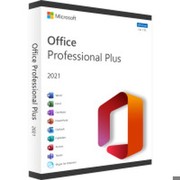
 Microsoft Office Home 2024ab 4,50€

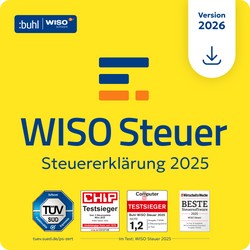 Buhl WISO Steuer 2026ab 25,95€
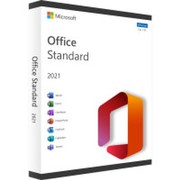 Microsoft Office 2021 Standardab 4,00€
Anzeige
Angebote
Beste Treffer
Beste Treffer
Preis: niedrig bis hoch
Preis: hoch bis niedrig

Microsoft Office 2013 Professional Plus
Office 2013 Professional Plus Office 2013 Professional Plus includes : Word 2013 Microsoft Word 2013 offers professional word processing in a class of its own. Spell checking, cliparts etc. Excel 2013 The spreadsheet program Excel is standard in almost all offices. PowerPoint 2013 With just a few software you can produce presentations more professionally and faster than with PowerPoint. Outlook 2013 The most used Personal Information Manager that allows you to manage emails, calendars and contacts Access 2013 Access 2013 is Microsoft's database program and effortlessly manages large datasets. Publisher 2013 With Publisher 2013 you create publications for Print and Web. OneNote 2013 You can share your OneNote notebooks with other users, keeping everyone up to date. InfoPath 2013 Microsoft InfoPath is a Windows application program from Microsoft, which allows the design of XML-based forms as well as their subsequent filling with information. The XML-based file format underlying the Infopath files follows an approach similar to the W3C standard XForms, which maps form fields and controls to data instances in XML format. Sharepoint Workspace 2013 System Requirements : Computer and processor: 1 GHz or faster, x86-bit or x64-bit processor with SSE2 Memory: 1 GB RAM (32 bits); 2 GB RAM (64 bit) Hard disk: 3 GB of available storage space Screen: Resolution of 1024 x 768 pixels Graphics Card: Graphics hardware acceleration requires a DirectX 10-capable graphics card. Operating System: Windows 7 to Windows 10, Windows Server 2016, Windows Server 2012 R2, Windows Server 2012, or Windows Server 2008 R2 Included in delivery by E-Mail: Product Key for 1PC Download in 32/64 Bit
Instant (max. 24h)
11,99€
Versand: frei!

Microsoft Office 2013 Professional
Office 2013 Professional Office Professional 2013 includes: Word 2013 Perfect documents and novel reading pleasure with the reading mode. New: PDF editing, multiple tabs, alignment guides, Team function, comfort reading mode, comments, course and much more. Excel 2013 Evaluate and visualize intuitively complex data. Now smarter: new, modern templates, flash preview, quick analysis with Formatting suggestions, new wizards, charts, and pivot tables. PowerPoint 2013 Convincing presentations in no time. Improvements: new slide & master templates, layout options, color picker, magnifying glass and drawing functions, e.g. for the creation of logos. Outlook 2013 All e-mails, appointments, contacts and tasks always ready. Access 2013 Build faster databases faster and easier. Publisher 2013 Create professional, effective publications and marketing materials. OneNote 2013 Note taking made easy: once created, always with you. System Requirements : Computer and processor: 1 GHz or faster, x86-bit or x64-bit processor with SSE2 Memory: 1 GB RAM (32 bits); 2 GB RAM (64 bit) Hard disk: 3 GB of available storage space Screen: Resolution of 1024 x 768 pixels Graphics Card: Graphics hardware acceleration requires a DirectX 10-capable graphics card. Operating System: Windows 7 to Windows 10, Windows Server 2016, Windows Server 2012 R2, Windows Server 2012, or Windows Server 2008 R2 Included in delivery by E-Mail: Product Key for 1PC Download in 32/64 Bit
Instant (max. 24h)
39,90€
Versand: frei!

Kaspersky Total Security 2027 (Devices: 1 Device / Duration: 1 Year)
Kaspersky Total Security 2027 - Comprehensive Protection for Your Devices Complete protection against cyber threats World-leading security technologies from Kaspersky protect you from hacker attacks as well as all types of viruses and malware. Hacking protection Network monitoring and anti-ransomware prevent hackers from breaking into your home network and intercepting your data. Anti virus The real-time virus protection protects you reliably against common threats such as worms and pharming as well as complex threats such as botnets, rootkits and rogues. Malware protection Advanced malware protection neutralizes threats such as spyware, adware, keyloggers, spear phishing, and hard-to-detect fileless attacks. Ad blockers You no longer receive annoying advertising banners and can therefore surf the Internet without disruption. The following premium functions are included : Free VPN with up to 300MB of data traffic per day Free Kaspersky Password Manager Premium Free Kaspersky Safe Kids Premium Advantages at a glance : Protects you from viruses, spyware, ransomware and more Backs up PC, Mac, iPhone, iPad and Android devices Protects your privacy and your personal information Webcam and microphone protection for even more security Provides additional protection when banking or shopping online Offers special protection for children with Kaspersky Safe Kids Securely store passwords for websites and accounts Protects valuable files, photos, music and documents Doesn't slow down your devices Simplifies your protection with easy-to-use web management Other advantages of Kaspersky Total Security Edition Kaspersky Total Security offers you a password manager where you can save your confidential passwords and banking information. You can also save your photos, music and files in an encrypted memory simply and easily. System requirements: Working memory (RAM): at least 1 GB (PC) or 4 GB (Mac) Hard disk space: at least 1.5 GB (PC) or 1,3 GB (Mac) Operating systems: Windows 11, 10, 8.1, 8, 7 macOS 14 or higher Android 11 or higher iOS 15 or higher Included in delivery by E-Mail: Product Key Download in 32/64 Bit
Instant (max. 24h)
27,90€
Versand: frei!

Microsoft Outlook 2016
Outlook 2016 Microsoft Outlook 2016 is one of the most used e-mail clients for Windows systems. Outlook helps you to receive and send e-mails. You can also set up Microsoft Outlook 2016 for multiple e-mail accounts and manage your diary and contacts. Especially with a very high volume of e-mail, Outlook 2016 can show its strengths. Outlook helps you stay organized and keep track of things. OneDrive's attachments make it easier to share and collaborate on documents. Furthermore, calendars can be displayed next to each other for better planning. The Conversation view keeps related messages together. You can even see all the important information about your contacts in one place. This makes it easier to manage all your communications in one place. System Requirements : Processor: 86 GHz or X64-bit 1 GHz (GHz) or faster processor and SSE2 processor Memory 1 GB for 32-bit or 2 GB for 64-bit Hard disk: 3 GB of available storage space Operating system: From Windows 7 to Windows 10 Screen: PC: Resolution of 1024 x 768 pixels Included in delivery by E-Mail: Product Key for 1PC Download in 32/64 Bit
Instant (max. 24h)
19,90€
Versand: frei!

Microsoft Project 2016 Standard
Microsoft Project 2016 Standard – Simple Project Planning Keep an eye on your project - Microsoft Project Standard 2016 gives you powerful management tools to ensure your success. The project management software supports you at every stage and facilitates efficient teamwork. Thanks to the familiar interface from Office, the orientation in Project 2016 Standard is immediately easy. Even the creation of meaningful reports and presentations is easy. Compared to its predecessor, Project Standard 2013, Microsoft has introduced significant improvements at crucial points. Important new features in Microsoft Project 2016 Standard "What-if" analyzes: In Project 2016 Standard, you can play through various scenarios to make reliable statements about the course of the project. Potential problems and bottlenecks are recognized early and you have scope for alternatives. Team Planner and Resource Engagement: As your project progresses, you will always be up-to-date with the Project Standard, Team Planner, and resource negotiation tools, and will identify issues before they occur. So you can counteract at any time and ensure the success of the project. Multiple timelines: Instead of visualizing the entire project on a timeline so far, you can use Project 2016 Standard to create multiple timelines and provide them with their own start and end dates. For example, Microsoft allows you to visualize a specific section of your project in detail. Searching for commands: "What would you like to do?" - enter a term in Project Standard 2016 in the new input field and a list with the corresponding commands will appear. This greatly simplifies the input. Simplified collaboration: Simple communication channels are essential for efficient collaboration. MS Project 2016 Standard integrates Skype for Business. With this real-time communication tool, you can call or chat with team members directly from within the project, and discuss issues directly. Work from Anywhere: In Project Standard 2016, synchronization with SharePoint and Office 365 has improved - allowing you to access, edit, and share your updates from anywhere with the project's Web site. System Requirements : Processor: x86 or x64-bit processor at 1 gigahertz (GHz) or faster and SSE2 Memory: 1 GB of RAM (32-bit); 2 GB of RAM (64-bit) Hard disk: 3 GB Operating system: Windows 10, 8, 7, Windows Server 2012, 2012 R2 and Server 2008 Included in delivery by E-Mail: Product Key for 1PC Download in 32/64 Bit
Instant (max. 24h)
16,90€
Versand: frei!

McAfee+ Premium Individual Security 2027 - Unlimited Devices
McAfee+ Premium Individual Security - Protection for Unlimited Devices McAfee+ Advanced provides complete identity and privacy protection for a worry-free online life, identity monitoring and identity restoration support. Advanced protection everywhere : We protect you no matter where you are or what device you use. Protect your personal information : Benefit from identity monitoring with recovery experts for a worry-free digital life. Next-generation all-round protection : Benefit from advanced device security, parental controls, identity monitoring, online privacy protection and automatically activated VPN. Check your online protection : Our industry-first ProtectionScore identifies vulnerabilities and shows you how to optimize your security. Safe Browsing : Browse the Internet safely, protected from malicious websites and risky downloads. Password Manager : Generate, store and manage your passwords in a secure environment and access them from anywhere. Device Optimization : Make sure your device always runs optimally by removing unnecessary files and improving system performance. VPN for privacy : Protect your online privacy by surfing securely anonymously and reliably keeping your data away from prying eyes. System requirements : Operating system: Windows 11 / 10 Build 4.23 or higher: macOS 13.x and higher Android 10 or higher for smartphones and tablets Apple iOS 16 or higher ChromeOS 102.0.5005 and higher Memory (RAM): Min. 2 GB Hard disk space: Min. 1.3 GB free space Processor: 1 GHz processor Included in delivery by E-Mail: Product Key Download in 32/64 Bit
Instant (max. 24h)
41,90€
Versand: frei!

Buhl tax 2026 (Steuerjahr 2025)
Buhl tax 2026 – Tax Solution for 2025 With tax, you can prepare your 2025 tax return reliably, clearly, and precisely – all at a particularly affordable price. When it comes to your tax return, it's crucial that nothing is forgotten and all information is entered quickly. That's precisely where the tax guide comes in: It leads you step-by-step through the tax return process and shows you how to optimally utilize all potential savings. At the heart of tax is a stable, tried-and-tested program and calculation logic. You can rely on it: Your information will be processed correctly and completely. High Performance at a Fair Price Many other programs offer expensive add-ons like workshops or document boxes – but are they really necessary? tax focuses on the essentials: powerful performance without unnecessary extras, and all at an excellent price-performance ratio. This makes tax ideal for anyone who has previously filed their return using official forms or via elster.de. Many professionals also rely on tax, because good software doesn't have to be expensive.
Instant (max. 24h)
21,90€
Versand: frei!

Microsoft Project 2013 Professional
Microsoft Project 2013 Professional – Plan Projects with Confidence Microsoft Project Professional 2013 is the optimal project management software for planning and executing projects in companies. With MS Project Professional 2013, you design long-term, large-scale projects, allocate employees, manage resources, and present your results in a variety of chart variations. Intuitively and powerfully, Microsoft Project 2013 Professional helps you coordinate projects of any kind in your organization. Project Professional 2013 lets you build projects based on popular templates. Within each project, project management software allows you to define operations, set goals, and set milestones. Microsoft Project 2013 Professional tells you how the different processes are related and which of them are really relevant to the successful completion of the project. MS Project 2013 Professional can now easily and comprehensibly display extensive, confusing projects. Then use Microsoft Project 2013 Professional to provide details about projects for your employees. MS Project Professional 2013 allows you to connect to Exchange or SharePoint servers to make projects easy to deploy across your organization. The strengths of the professional edition of the project management software include multi-project management, central planning of resources and access via web services. MS Project 2013 Professional also relies on the user interface that you already know from other Office products. In Microsoft Project 2013 Professional, you can therefore manage even very large projects in an intuitive and context-sensitive way: the menus always show those functions that are really relevant to the task at hand. Since many processes in MS Project 2013 Professional run automatically, you save time: Conflicts within a project automatically show you Microsoft Project Professional 2013, so you can quickly find a solution. Thanks to MS Project Professional 2013, you always have all the important criteria for a project in view: You monitor the costs of a project as well as its duration. In Microsoft Project Professional 2013, you also define additional acquisitions that you need to realize your visions. All information is linked together in Microsoft Project Professional 2013 to show you as quickly as possible whether a project is viable or not. The program is not compatible with the click-to-go based MS Office subscription packages (eg: MS Office 365) System Requirements: Memory: 1 GB of RAM (32-bit); 2 GB of RAM (64-bit) Hard disk: 3 GB Processor: x86 or x64 processor with at least 1 gigahertz (GHz) and SSE2 instruction set Operating Systems: Windows 10, 7, 8, 8.1, Windows Server 2008 R2 and Windows Server 2012 Included in delivery by E-Mail: Product Key for 1PC Download in 32/64 Bit
Instant (max. 24h)
15,90€
Versand: frei!

Microsoft Project 2021 Professional
Buy Microsoft Project 2021 Professional: Efficient Project Planning Made Easy Improved project selection and timely implementation with Project 2021 - Reduce inefficient processes and training times with automated planning tools - Effectively manage resources to build project teams - Make informed decisions with integrated reports Organize projects and stick to your schedule with Project 2021 Familiar diagrams Use familiar tools like Gantt charts to create schedules and reduce training time. Preconfigured templates Just start with one of the many pre-configured templates available in Project 2021 Professional. Intuitive basic plans Enable decision makers to see actual progress and compare it to the original project plan. Microsoft's Project 2021 Professional offers you even more advantages: Informative reports Integrated reports such as burndown and resource overview give everyone involved the insights they need to achieve better results. Visualize relationships The task path highlighted in color in a Gantt chart shows you the relationships between the tasks. Timesheets Submit timesheets to record project and non-project working time for payroll, invoicing, and more. cooperation Hover over the names of team members in a project plan to view online status and start chats or calls from Microsoft Teams for Business (licensed separately). System requirements: Processor: 1.6 GHz or faster (dual core) Operating system: Windows 11, Windows 10, Windows Server 2019 RAM: 4 GB RAM, 2 GB RAM (32 bit) Hard disk space: 4 GB of available space Screen: 1280 x 768 resolution Graphics: DirectX 10 graphics card to accelerate the graphics hardware Included in delivery by E-Mail: Product Key for 1 PC Download in 32/64 Bit
Instant (max. 24h)
39,90€
Versand: frei!

Microsoft Windows Server 2019 Essentials
Windows Server 2019 Essentials More security and more cloud in Windows Server 2019 Essentials One of the biggest changes compared to the previous version is the closer integration with Microsoft Azure by Windows Server 2019 and Project Honolulu for the creation of a hybrid cloud environment. In addition to the central control over Project Honolulu, the current version enables backup via Azure File Sync and Azure Backup, for example. In addition, Microsoft is also expanding the previous security options of the 2016 edition in Windows Server 2019. Added to this is the improved support for Linux, including the integration of Linux commands such as "tar" and "curl" in the command line. In addition, Linux VMs are now protected in Windows Server 2019 via shielded VMs. The security package is rounded off by the ability to encrypt network traffic in virtual environments and the integration of Windows Defender Advanced Threat Protection (ATP). This in turn offers, among other things, protection against attacks whose definition file has not yet been recognized in the current virus scanners, e.g. before "zero-day attacks". System Requirements : Processor: at least 1.4 GHz, (single-core), at least 1.3 GHz (multi-core) - 3.1 GHz or more recommended (single and multi-core), maximum support of 2 CPU sockets Memory: At least 2 GB of RAM (or 4 GB if Windows Server Essentials is deployed as a VM), 16 GB RAM recommended, 64 GB maximum support Hard disk: at least 160 GB of hard disk space with a system partition with a capacity of at least 60 GB Included in delivery by E-Mail: Product Key for 1 PC Download in 32/64 Bit
Instant (max. 24h)
109,90€
Versand: frei!

Microsoft Office 2010 Professional Plus
Office 2010 Professional Plus Office 2010 Professional Plus includes: Microsoft Word 2010 Microsoft Word 2010 offers professional word processing in a class of its own. Spell checking, cliparts etc. Microsoft Excel 2010 The spreadsheet program Excel is standard in almost all offices. Microsoft PowerPoint 2010 With just a few software you can produce presentations more professionally and faster than with PowerPoint. Microsoft Outlook 2010 The most used Personal Information Manager that allows you to manage emails, calendars and contacts. Microsoft Access 2010 Access 2010 is Microsoft's database program and effortlessly manages large data sets. Microsoft Publisher 2010 With Publisher 2010 you create publications for Print and Web. Microsoft OneNote 2010 Share your OneNote notebooks with other users to keep everyone up to date.Microsoft InfoPath 2010 Microsoft InfoPath is a Windows application program from Microsoft, which allows the design of XML-based forms as well as their subsequent filling with information. The XML-based file format underlying the Infopath files follows an approach similar to the W3C standard XForms, which maps form fields and controls to data instances in XML format. Sharepoint Workspace 2010 System Requirements : Computer and processor: x86 / x64 processor over 500 MHz and SSE2 instruction set Memory: 512 MHz for 32-bit versions; 1 GB RAM for 64-bit versions for graphics functions Hard disk: 1.5 GB of available hard disk space Display: Monitor with a resolution of 1024 × 768 or higher Operating System: Windows XP to Windows 10 Windows Server 2008 R2 and .NET 3.5 or higher Graphics: DirectX 9 compatible graphics card and with at least 64MB Included in delivery by E-Mail: Product Key for 1PC Download in 32/64 Bit
Instant (max. 24h)
19,50€
Versand: frei!

Microsoft Office 2010 Home and Business
Office 2010 Home and Business Office Home and Business 2010 includes: Microsoft Word 2010 Microsoft Word 2010 offers professional word processing in a class of its own. Spell checking, cliparts etc. Microsoft Excel 2010 The spreadsheet program Excel is standard in almost all offices. Microsoft PowerPoint 2010 With just a few software you can produce presentations more professionally and faster than with PowerPoint. Microsoft Outlook 2010 The most used Personal Information Manager that allows you to manage emails, calendars and contacts Microsoft OneNote 2010 You can share your OneNote notebooks with other users, keeping everyone up to date. System Requirements: Computer and processor: x86 / x64 processor over 500 MHz and SSE2 instruction set Memory: 512 MHz for 32-bit versions; 1 GB RAM for 64-bit versions for graphics functions Hard disk: 1.5 GB of available hard disk space Display: Monitor with a resolution of 1024 × 768 or higher Operating System: Windows XP Windows 10, Windows Server 2008 R2 and .NET 3.5 or higher Graphics: DirectX 9 compatible graphics card and with at least 64MB Included in delivery by E-Mail: Product Key for 1PC Download in 32/64 Bit
Instant (max. 24h)
17,90€
Versand: frei!

Microsoft SQL Server 2016 Standard
SQL Server 2016 Standard SQL Server 2016 is a rich data platform that provides more security, reliability, manageability, and scalability for your mission-critical applications. Developers will be able to create new applications that can store and use any type of data on any device. SQL Server 2016 helps all your users make informed decisions. SQL Server technologies: Database Engine The database engine is the core service for storing, processing, and backing up data. The database engine provides controlled access and transaction processing. So you can meet even high demands of data processing applications in your business. The database engine also provides a variety of support for maintaining high availability. R Services Microsoft R Services offers several ways to integrate the popular language R into business workflows. R Services (In-Database) integrates the R language with SQL Server, so you can easily create, retrain, and evaluate models by calling stored Transact-SQL procedures. Microsoft R Server provides scalable support for R in the enterprise on multiple platforms and supports data sources such as: Hadoop and Teradata. Data Quality Services SQL Server Data Quality Services (DQS) provides a knowledge-driven data cleansing solution. DQS allows you to create a knowledge base and then use this knowledge base to perform data correction and deduplication on your data using computer-aided and interactive means. You can use cloud-based referral data services and create a data management solution that integrates DQS with SQL Server Integration Services and Master Data Services. Integration Services Integration Services is a design platform for high-performance data integration solutions, including Data Warehouse packages for extracting, transforming, and loading (ETL) data. Master Data Services Master Data Services is the SQL Server solution for master data management. A solution built on Master Data Services ensures that reporting and analysis are based on the right information. With Master Data Services, you create a centralized repository of master data and maintain a recordable and securable record of that data that changes over time. Analysis Services Analysis Services is a platform for analytic data and a business intelligence toolset for individuals, teams, and organizations. Server and client designers support legacy OLAP solutions, new table modeling solutions, and self-service capabilities for analysis and collaboration with Power Pivot, Excel, and a SharePoint Server environment. Analysis Services also includes data mining so you can identify the patterns and relationships that are hidden in large volumes of data. Replication Replication is a set of technologies for copying and distributing data and database objects from one database to another and then synchronizing the databases to ensure consistency of data. Using replication, you can distribute data to multiple sites, remote users, or mobile users over local area networks and wide area network (WAN), dial-up, wireless, or over the Internet. Reporting Services Reporting Services delivers web-based enterprise reporting capabilities, allowing you to create reports that pull content from a variety of data sources, publish reports in a variety of formats, and centrally manage subscriptions and security. System Requirements: Computer and processor: minimum: x64 processor: 1.4 GHz, recommended: 2.0 GHz or faster Main memory: at least: 1 GB Hard disk: at least 6 GB of available hard disk space Display: VGA graphics card with a minimum resolution of 800x600 pixels Operating system: Microsoft SQL Server 2016 Included in delivery by E-Mail: Product Key for 1PC Download in 32/64 Bit
Instant (max. 24h)
189,90€
Versand: frei!

AOMEI Backupper Professional + Lifetime upgrades (Devices: 2 Devices)
AOMEI Backupper Professional Lifetime Edition Current version including lifetime upgrades for all future versions. With AOMEI Backupper Professional Lifetime Edition, you get a powerful backup and recovery solution for Windows PCs, laptops, and notebooks. The software enables reliable system backups, disk backups, and fast recovery of important data. With lifetime upgrade entitlement, you benefit permanently from new features, improvements, and compatibility updates – at no additional cost. The software protects your operating system, personal files, applications, and drives from data loss. With flexible backup and recovery functions, you always stay in control of your important data. Highlights Lifetime upgrades for future versions Full system and data backup Automatic and scheduled backups Incremental and differential backups Fast recovery in case of system failure Support for local drives, networks, and cloud storage Backup Features System Backup Create a full Windows system backup including programs, settings, and boot files with one click. Disk Backup Back up entire HDDs or SSDs and protect all data on the selected drive. Partition Backup Select individual partitions or dynamic volumes for backup. File Backup Back up important documents, images, videos, and folders manually or automatically. File Sync Synchronize files and folders in real time or on a schedule between different locations. Microsoft Outlook Backup Back up emails, contacts, calendars, tasks, and notes. Supports Outlook accounts including Gmail, Outlook.com, and other integrated services. Backup Methods Automatic backups daily, weekly, or monthly Event-triggered backups on login, logout, startup, or shutdown Incremental and differential backups to save storage and time Automatic cleanup of old backups via backup schemes Command-line and batch file backup support Hot backup without interrupting running applications Storage Destinations Internal and external hard drives (HDD/SSD) USB drives and flash storage NAS devices and network shares CD, DVD, and Blu-ray media Cloud services such as OneDrive, Google Drive, Dropbox, and Box via desktop apps System Requirements: Compatible with Windows 11, Windows 10, Windows 8.1, Windows 8, and Windows 7 (32-bit and 64-bit). Included in delivery by E-Mail: Product Key Download in 32/64 Bit
Instant (max. 24h)
44,99€
Versand: frei!
AOMEI Backupper Professional (Devices: 2 Devices)
AOMEI Backupper Professional Edition – Reliable Backup & Cloning Solution for Windows You will receive the latest version of the software. AOMEI Backupper Professional is a powerful and easy-to-use backup and cloning software for Windows PCs and laptops. With just a few clicks, you can back up your system, disks, partitions, as well as important files and folders. In case of data loss or system failure, you can restore your data quickly and reliably or migrate your system to a new SSD or hard drive. Backup Features What can be backed up? • System Backup: Create a full backup of your Windows system, including settings, applications, and boot files with a single click • Disk Backup: Back up entire hard drives (HDD and SSD) • Partition Backup: Back up individual partitions or dynamic volumes flexibly • File Backup: Back up files and folders manually or automatically on a schedule • File Sync: Synchronize folders in real time, mirror mode, or on a scheduled basis (daily, weekly, monthly) Additional Features • Flexible restore of individual files from backup images • Password protection for backup tasks and program settings • Hot Backup: Create backups while the system is running without interruption Backup Management • Scheduled Backups: Automatic execution daily, weekly, or monthly • Event-triggered Backups: Start backups on logon, logoff, system startup, or shutdown • Incremental & Differential Backups: Save only changed data to reduce time and storage usage • Backup Scheme: Automatically delete old backups to optimize storage space • Command Line Backup: Automate backup tasks using scripts or Windows CMD Cloning & Migration Features • System Clone: Create an exact copy of your Windows system to SSD or HDD • Disk Clone: Transfer entire hard drives to new drives easily • Partition Clone: Clone individual partitions quickly and safely • SSD Migration: Move your operating system to an SSD without reinstalling Windows • Bootable Media (WinPE): Create a rescue USB drive for system recovery Backup Storage Locations • Internal and external storage devices (HDD, SSD, USB drives, external disks) • NAS and network shared folders • Cloud storage via desktop applications (OneDrive, Google Drive, Dropbox, Box) What makes AOMEI Backupper Professional stand out • Fast system recovery in case of failure • Stable hot backup technology without system interruption • Efficient storage usage with incremental backups • Ideal for system migration and SSD upgrades • Simple and intuitive interface – no technical skills required System Requirements Supports Windows 11, Windows 10, Windows 8.1, Windows 8, and Windows 7 (32-bit & 64-bit). Included in delivery by E-Mail: Product Key Download in 32/64 Bit
Instant (max. 24h)
31,99€
Versand: frei!

Microsoft Visual Studio 2019 Professional
Microsoft Visual Studio 2019 Professional – Buy Now and Develop with Power Comfortable programming with Visual Studio 2019 Professional Visual Studio 2019 Professional is an intelligent helper when developing software. It combines features of the popular Visual Studio 2017 with useful new features. In this way, the user can efficiently write code and find any errors. Many languages can be used. With Visual Studio 2019 Professional, developers and businesses buy an integrated development environment that covers multiple platforms. Easier collaboration and AI features The current version of Visual Studio is easy to navigate and offers help for visually impaired developers. It also contains better refactorings than previous versions of the software. As part of a consistent development of the program, the solution loads and builds were also revised. The debugger as an important tool for effective programming now also offers more options. With Live Share, real-time team work becomes even simpler and more productive: the existing functions for working together on the program code have been expanded and improved. To make teams like individual developers more productive, Visual Studio 2019 Professional includes the IntelliCode feature. Artificial intelligence supports the work of the developer. They make suggestions about how to improve the code quality. In order for the user to be able to use the right language for each project, the development environment continues to support legacy languages such as C or C ++ as well as newer ones such as C #. Develop for different platforms Buying Visual Studio 2019 Professional allows you to develop solutions for different platforms. The software provides convincing environments for a variety of application needs. Alone or in a team mobile solutions can be developed easily. The IDE Visual Studio offers several tools for improving the code for apps. You can fully develop native apps for iOS, Android and Windows. Codes and debuggings can be shared with the team. The programmed applications for PCs, mobile devices or the Web can be based on pre-existing applications. The integration of already written code in Visual Studio is easily possible. Professional development tools for small to medium businesses Companies that choose to buy Visual Studio 2019 Professional, among other things, enable highly productive teamwork. With the powerful features of the development environment, employees can view a wealth of information directly in the code. Thus, made changes are clearly arranged and arranged according to persons. Even code references and passed tests are easy to find. Visual Studio also provides other helpful features, such as agile project planning tools and graphic diagrams. With the purchase of a Visual Studio license, of course, you get access to upcoming updates and bug fixes, so it is a software in which it is worth investing in the long term. System Requirements : Processor: 1.8 GHz processor or faster; Quad-core or better recommended Main memory: 2 GB RAM; 8 GB RAM recommended (at least 2.5 GB when running on a virtual machine) Hard disk space: At least 800 MB, up to 210 GB of available space, depending on installed features. A typical installation requires 20-50 GB of free space. Supported Operating Systems : Windows 10, version 1703 or higher: Home, Professional, Education and Enterprise (LTSC and S are not supported) Windows Server 2019: Standard and Datacenter Windows Server 2016: Standard and Datacenter Windows 8.1 (with update 2919355): Core, Professional, and Enterprise Windows Server 2012 R2 (with update 2919355): Essentials, Standard, Datacenter Windows 7 SP1 (with latest Windows updates): Home Premium, Professional, Enterprise, Ultimate Included in delivery by E-Mail: Product Key for 1 PC Download in 32/64 Bit
Instant (max. 24h)
39,90€
Versand: frei!

Microsoft Office 2013 Home and Student
Office 2013 Home and Student Office Home and Student 2013 includes: Microsoft Word 2013 Get more out of your Word documents: open and edit a PDF, insert an online video, and watch it without leaving the document. Use the read mode to view documents on any screen without being distracted. Microsoft Excel 2013 Excel templates take away most of the decor and design. This allows you to focus on your data. To better illustrate your data, convert it to a chart or a spreadsheet in just two steps. Microsoft PowerPoint 2013 Create stunning presentations with PowerPoint's new alignment features, color customization, and other design tools, and easily share them on the web. Microsoft OneNote 2013 In OneNote, you can draw your notes, either handwritten or by keyboard, by clicking or swiping. Your multimedia notes sync with OneNote apps on your other devices for storage and browsing. System Requirements: Computer and processor: 1 GHz or faster, x86-bit or x64-bit processor with SSE2 Memory: 1 GB RAM (32 bits); 2 GB RAM (64 bit) Hard disk: 3 GB of available storage space Screen: Resolution of 1024 x 768 pixels Graphics Card: Graphics hardware acceleration requires a DirectX 10-capable graphics card. Operating System: Windows 7 to Windows 10, Windows Server 2016, Windows Server 2012 R2, Windows Server 2012, or Windows Server 2008 R2 Included in delivery by E-Mail: Product Key for 1PC Download in 32/64 Bit
Instant (max. 24h)
28,90€
Versand: frei!

Microsoft Windows Server 2012 R2 Essentials
Windows Server 2012 R2 Essentials Better flexibility and agility With Windows Server 2012 R2, Microsoft brings years of experience providing global cloud services. Benefit from new features and enhancements in virtualization, management, storage, networking, virtual desktop infrastructure, access and information protection, web and application platforms. A well-structured user interface and easy handling make it easy for you to get started. Up to 25 users or 50 devices can be set up as a workstation. Additional user CALs are not necessary. If you run out of jobs in Windows Server Essentials 2012, you can always upgrade to a higher version of Windows Server. Features of Windows Server Essentials 2012 R2 Integrated cloud services for flexible working and sharing of files. Client computer backups save the data from all computers in the system centrally on the server and automatically on request. My Server App for Windows and Windows Phone allows external access to data and management tools. Can be installed on a physical server or as a virtual machine. Improved client deployment options through optimized connector. Integration of Office 365 and Microsoft Azure including user management. Back up your data with Windows Server 2012 Essentials R2 Protect your data from loss and misuse. With Windows Server 2012 R2 Essentials, File History Backup allows you to perform a backup per user instead of per device. Should a PC stop working, it will be easy to recover all of a user's files on the new PC. Likewise, Server 2012 R2 Essentials regularly performs automatic client computer backups on request to prevent data loss and centrally backs up data from all machines in the system to the server. Install Server 2012 R2 Essentials as a virtual machine Although Microsoft Windows Server 2012 R2 Essentials does not have the Hyper-V virtualization platform by default, the server system can be installed on a physical server or as a virtual machine. So, you can decide for yourself how to use Windows Server 2012 R2 Essentials in your business. In any case, Server 2012 R2 Essentials will help you to minimize time, effort and costs and to optimize your IT. System Requirements : Processor: 1.4 GHz at least 64 bits Working Spaces: 512 MB Hard disk space at least 32 GB Included in delivery by E-Mail: Product Key for 1PC Download in 32/64 Bit
Instant (max. 24h)
35,90€
Versand: frei!

Ashampoo Backup Pro 27
Ashampoo Backup Pro 27 – Secure and Easy Backup Solution Malware infestation, faulty hard drives or Windows crashes are saved! With Ashampoo Backup Pro 27, you're on the safe side – whether it's a hardware failure, malware, or accidentally deleted files. The software combines ease of use with powerful backup technology: Back up individual files, folders, or entire hard drive areas locally or directly to the cloud. Once set up, everything runs almost silently in the background, permanently protecting your data. Even in the event of a system crash or Windows error, you can quickly and reliably restore your system – if needed, even via a dedicated emergency system. Your benefits at a glance : Reliably protects against: Ransomware & Malware Hardware damage and hard drive errors Accidentally deleted data System problems & faulty updates Device loss & theft Faster backups – locally & in the cloud Compared to the previous version, cloud backups have been significantly accelerated, as have file-based backup processes. Supported services include: Dropbox, OneDrive, Google Drive, Office 365, OwnCloud, Telekom MagentaCloud, Strato, 1&1, and other providers. Automatic Drive Check Hard drives can now be checked live with a single click. Errors are logged directly and can be automatically resolved. BitLocker-protected drives are fully supported and can be easily unlocked. Plug & Play Backup Simply connect external storage – and the software gets started. Your backup starts automatically according to schedule, without any further input. This way, you can back up your data effortlessly. Complete BitLocker Support Encrypted Windows drives can be directly mounted, unlocked, and used as backup destinations or sources – even in disaster recovery mode. Ideal for Beginners & Professionals Pre-configured backup plans ensure a quick start. Users can also customize settings and create their own complex backup strategies. Emergency System in Case of Total Failure In the event of serious system errors or malware attacks, Ashampoo Backup Pro launches its own recovery system via USB drive or DVD and fully restores your Windows system, including all settings. Efficient Storage Usage Thanks to modern reverse incremental backup technology, the software requires very little storage space. Depending on the data structure, you can save up to 50% of storage compared to other solutions. Operates Discreetly in the Background The program only uses free system resources and won't interrupt your work. Backups run automatically without slowing down your system. Backup Viewer Access your backed-up data without having to restore it completely. Files can be safely opened and reviewed without modifying the backup. System requirements : Operating system: Windows 11 / 10 Hard disk space: Min. 500 MB free storage Included in delivery by E-Mail: Product Key for 1PC Download in 32/64 Bit
Instant (max. 24h)
19,95€
Versand: frei!

Microsoft Windows 10 Enterprise LTSC 2019
Windows 10 Enterprise LTSC 2019 Windows 10 Enterprise LTSC 2019 is a secure operating system that also meets high standards for large enterprises. Sophisticated security measures proactively protect companies with the support of cloud intelligence. It is a rumdumpaket for various devices, which offers powerful features Unlike Windows 10 Pro, Enterprise Edition includes the comprehensive Windows Defender Advanced Threat Protection (ATP) security tool. Corporate IT helps the operating system with features such as desktop analytics. Key applications like Microsoft Edge, Cortana, Microsoft Whiteboard, or OneNote for Windows 10 are ready to run. In addition, Windows 10 Enterprise LTSC 2019 makes it easier for a company's IT department to move to cloud-based administration. This way, some workflows can already be switched to Intune, while others are still running the Configuration Manager. By accessing the Microsoft Store for Business any company can easily find matching, more applications. Windows 10 Enterprise LTSC 2019 builds on Windows 10 pro, version 1809, which adds premium features tailored to the needs of large and mid-sized organizations (including large academic institutions), such as: - Extended protection against modern security threats - Full flexibility in the deployment of operating systems - Update and support options Comprehensive features for managing and controlling devices and apps The Windows 10 Enterprise LTSC 2019 release is an important release for LTSC users because it contains the cumulative enhancements that are provided in Windows 10 versions 1703, 1709, 1803, and 1809. Details of these improvements can be found below. The version offers you some additional security feutures such as Windows Defender ATP The Windows Defender Advanced Threat Protection (Windows Defender ATP) platform inludes the security pillars shown in the following diagram. In this release of Windows, Windows Defender ATP includes powerful analytics, security stack integration, and centralized management to enhance better detection, prevention, investigation, response, and management. System Requirements : Processor: 1 GHz (or faster) or a SoC system RAM: 1 GB for 32 bits or 2 GB for 64 bits Hard disk space: 16 GB for 32-bit operating system or 20 GB for 64-bit operating system Graphics card: DirectX 9 or higher with WDDM 1.0 driver Display: 800 x 600 Included in delivery by E-Mail: Product Key for 1 PC Download in 32/64 Bit
Instant (max. 24h)
99,90€
Versand: frei!
Shop bewerten
Hast Du bereits ein Produkt von diesem Shop gekauft? Dann teile uns Deine Erfahrung mit!
Deine Meinung ist gefragt. Mit Produktbewertungen hilfst Du anderen Usern.

Händlerinformationen
Titel
Online 4you UG (haftungsbeschränkt)
Leopoldstr. 2-8
32051 Herford
Leopoldstr. 2-8
32051 Herford
Beliebte Angebote
Beliebte Produkte
Beliebte Kategorien von lizenzexpress.de

* Die Preise und Versandkosten können sich seit der letzten Aktualisierung beim jeweiligen Händler verändert haben. Alle Preise sind Angaben des jeweiligen Anbieters inklusive Umsatzsteuer, zzgl. Versand - alle Angaben ohne Gewähr. Unser Angebot umfasst nur Anbieter, die für Ihre Weiterleitung an den Shop eine Klick-Provision an uns zahlen.
* Die Preise und Versandkosten können sich seit der letzten Aktualisierung beim jeweiligen Händler verändert haben. Alle Preise sind Angaben des jeweiligen Anbieters inklusive Umsatzsteuer, zzgl. Versand - alle Angaben ohne Gewähr. Unser Angebot umfasst nur Anbieter, die für Ihre Weiterleitung an den Shop eine Klick-Provision an uns zahlen.


©1999- 2026 by guenstiger.de
